1. The Machine-Readable Layer (External Readiness)
This layer ensures that AI search engines and agents can crawl, index, and interpret your site accurately.
-
Schema Markup (JSON-LD): This is the “language” of AI. By tagging your data (e.g.,
Product,FAQ,Organization), you provide explicit context that prevents AI from hallucinating or misinterpreting your facts. -
Semantic Content Structure: Instead of just keywords, your site uses Topic Clusters. This means your pages are linked in a way that shows a network of expertise (e.g., a “Freight Forwarding” pillar page linked to “Customs Clearance” and “Tracking” sub-pages).
-
Clean Technical Foundation:
-
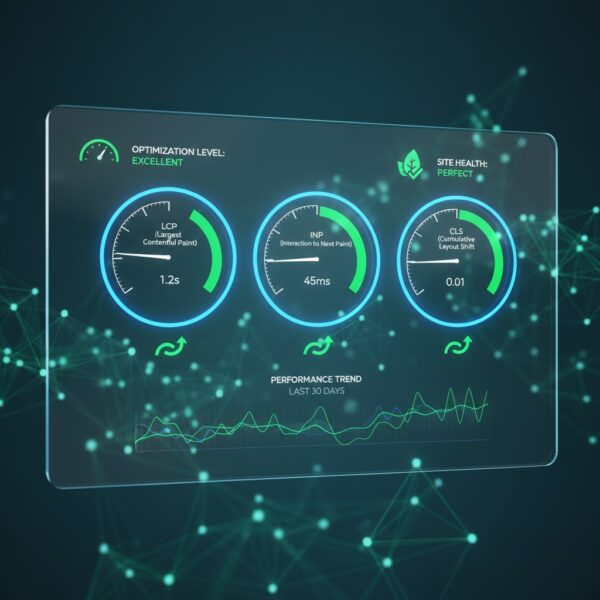
High Performance: AI scrapers often have “crawl budgets.” If your site is slow, they may only index a fraction of it.
-
Accessibility (ARIA roles): Clear labeling for screen readers also helps AI bots understand the hierarchy and purpose of different UI elements.
-
2. The Functional AI Layer (Internal Readiness)
This is the “engine room” that allows you to run AI features directly on your site without it crashing or leaking data.
The Data Infrastructure
-
Vector Databases: Unlike traditional databases that look for exact text matches, vector databases (like Pinecone or Weaviate) store information as “embeddings” (mathematical concepts), allowing your site’s search to understand meaning and intent.
-
API-First Design: Your website should act as a series of connected services. This allows an AI agent to, for example, check your real-time inventory or book a calendar slot via an API call rather than just reading static text.
Scalability and Security
-
Microservices: By isolating AI functions (like a chatbot or a recommendation engine) into their own “containers,” you ensure that a spike in AI usage doesn’t slow down the rest of your website.
-
Privacy-Aware Pipelines: AI architecture must handle data according to regulations like GDPR. This includes “Zero-Trust” principles, where user data used to “prime” an AI prompt is never permanently stored or used to train public models.
Traditional vs. AI-Ready Architecture
| Feature | Traditional Architecture | AI-Ready Architecture |
| Primary Goal | Human visual experience | Machine comprehension + Human UX |
| Data Storage | Relational (SQL) | Hybrid (SQL + Vector Databases) |
| Search | Keyword-based | Semantic/Intent-based |
| Navigation | Menus and Links | APIs and Natural Language |
| Updates | Manual / CMS-based | Dynamic / Real-time Data Streams |
How to Start
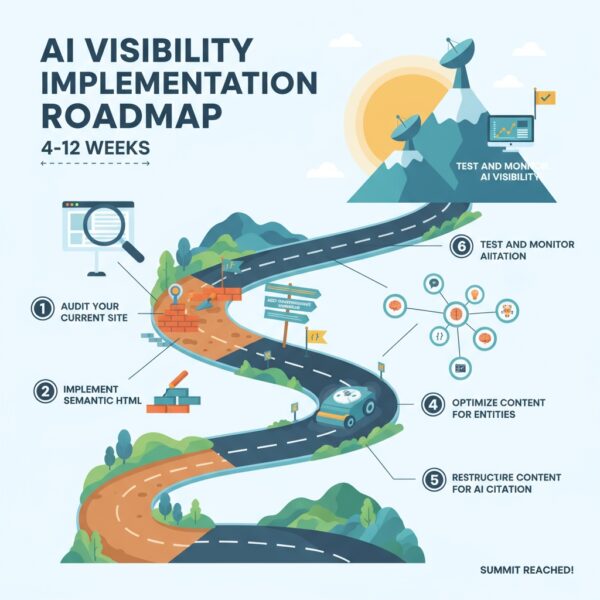
If you are looking to upgrade an existing site, the most effective first step is a Semantic Audit. This involves checking if your current HTML headers (H1, H2, H3) and internal links create a logical “map” that an AI can follow.
Would you like me to generate a checklist of the specific Schema markups you should add to your site to improve your visibility in AI search results?
Can you optimize an existing website for AI search?
Optimizing an existing website for AI search (often called Generative Engine Optimization or AEO) involves moving beyond just “keywords” to focus on machine readability and direct answerability.
In 2025, AI agents like Perplexity, ChatGPT, and Google AI Overviews don’t just look for high-traffic sites; they look for the most “extractable” and “trustworthy” source of a specific fact.
Here is a 4-step framework to optimize your site:
1. Technical “Crawlability” for AI
AI models have a “comprehension budget.” If your site is hard to parse, they will skip it.
-
Implement
llms.txt: Add a/llms.txtfile to your root directory. This is the 2025 version ofrobots.txt, specifically designed to provide a concise, markdown-formatted summary of your site’s most important pages for LLM crawlers. -
Server-Side Rendering (SSR): Many AI crawlers struggle with heavy JavaScript. Ensure your core content is rendered on the server so the “raw” HTML contains all your text.
-
Clean URL Slugs: Use descriptive, human-and-machine-readable URLs (e.g.,
/best-industrial-cooling-systems/instead of/p?id=492).
2. The “Citation Hook” Content Strategy
To be cited by an AI, your content must be easy to “lift” and drop into a summary.
-
The “Inverted Pyramid” Method: Put the direct answer to the main question in the first 50 words. AI engines prioritize the “first-move” answer.
-
Modular Content Blocks: Use H2 and H3 tags formatted as questions (e.g., “How much does solar installation cost?”). Follow the header immediately with a concise answer in 1–2 sentences (<20 words per sentence is the current “sweet spot”).
-
Data & Tables: AI loves structured comparisons. Use HTML tables for pricing, specifications, or feature comparisons. These are much more likely to be cited than long paragraphs.
3. Advanced Schema & Entity Marking
You need to tell the AI exactly what “entities” (people, places, products) you are talking about.
-
Organization & Person Schema: Use JSON-LD to define your business and its experts. Link your authors to their LinkedIn or official bios using the
sameAsproperty to build E-E-A-T (Expertise, Experience, Authoritativeness, and Trustworthiness). -
FAQ & HowTo Markup: These are the “VIP passes” for AI Overviews. Explicitly tagging your content as an FAQ makes it significantly easier for an AI to cite you as the definitive source.
4. Semantic Authority (Topic Clustering)
AI models rank sources based on their “depth” on a specific topic.
-
Pillar & Cluster Model: Don’t just write one article. Create a “Pillar Page” (e.g., “The Complete Guide to Remote Work”) and link it to 10 “Cluster Pages” (e.g., “Best Ergonomic Chairs,” “Remote Tax Laws,” etc.). This proves to the AI that you are a topical authority, not just a one-off blog.
AI Optimization Checklist
| Task | Priority | Benefit |
Add llms.txt |
High | Direct communication with AI agents |
| Rewrite Intros | High | Increases “Answer Extraction” probability |
| JSON-LD Schema | Medium | Reduces AI “hallucinations” about your brand |
| Topic Clusters | Medium | Builds long-term topical authority |
Would you like me to analyze a specific page of your website and provide a “Direct Answer” rewrite that’s optimized for AI citations?
Please explain yes you can but its better to build it properly in the first place
Building an AI-ready site from scratch versus retrofitting an old one is like building a smart home versus trying to wire an 18th-century farmhouse for fiber-optic internet. You can make the farmhouse work, but the walls are thick, the pipes are in the wrong place, and you’ll spend more money fixing “old problems” than actually moving forward.
Here is why “building it properly” from the ground up is vastly superior to a retrofit:
1. Data Integrity vs. Data “Cleaning”
In a retrofit, your data is often “trapped” in old CMS formats, messy HTML, or unstructured PDFs. To make this work for AI, you have to spend months cleaning it.
-
Built Properly: You design a headless architecture. The content exists as “pure data” (JSON) in a database, separate from the design.
-
The Benefit: When a new AI model comes out next year, you don’t have to redesign the site. You just plug the “data stream” into the new AI.
2. Speed: The “Time-to-Token” Problem
AI search agents (like Perplexity) and internal AI features rely on speed. If your site has “legacy bloat”—old plugins, heavy CSS libraries, and unoptimized scripts—it creates latency.
-
The Retrofit: You’re adding more scripts (AI chatbots, tracking) on top of an already slow site.
-
Built Properly: You use a modern stack (like Next.js or Nuxt) that uses Server-Side Rendering (SSR). The AI gets the info it needs in milliseconds, which is a major ranking factor for AI-driven search.
3. Vector-Native Search vs. Keyword Search
Most existing sites use “Keyword Search” (you type “shoes,” it finds the word “shoes”). Retrofitting a site to “understand” intent is a complex hack.
-
Built Properly: You integrate a Vector Database (like Pinecone) at the foundation.
-
The Benefit: If a user asks your site, “What should I wear to a wedding in rainy Seattle?”, a vector-native site understands the context and shows waterproof formal wear. A legacy site would just show a “No results found” page for that phrase.
4. Cost and “Technical Debt”
Retrofitting often involves “glueing” AI tools onto a site using third-party plugins. This creates Technical Debt:
-
Every time the AI tool updates, your site breaks.
-
You pay high monthly fees for “middleware” that connects your old site to AI.
-
Built Properly: The AI features are part of the site’s own API. It’s cheaper to maintain, more secure, and you own the infrastructure.