Why Page Builders Are Killing Your WordPress Site (And What to Do About It)
Last updated on January 13, 2026
Your WordPress site is slow. Your bounce rate is climbing. Your Core Web Vitals are in the red. And despite hiring a developer to “optimize” your Elementor site, nothing has really improved.
Here’s the uncomfortable truth: the problem isn’t your hosting, your images, or your plugins. It’s your page builder.
Page builders like Elementor, Divi, WPBakery, and Beaver Builder promise easy drag-and-drop design. They look great in demos. They feel empowering—no coding required!
But behind the scenes, they’re loading thousands of lines of unnecessary CSS and JavaScript on every page. They’re creating database bloat. They’re making your site harder to maintain, harder to scale, and nearly impossible to optimize for modern performance standards.
I’ve migrated dozens of enterprise WordPress sites from page builders to custom code. The results are consistent: 3x faster load times, dramatically better Core Web Vitals, and significant increases in organic traffic and conversions. In this article, I’ll show you exactly why page builders are holding your site back—and what you can do about it.
What You’ll Learn
- The hidden performance costs of page builders
- Real data: page builder vs. custom WordPress performance
- Why “optimizing” a page builder site has limits
- When page builders make sense (and when they don’t)
- Your options for moving forward

The Hidden Performance Costs of Page Builders
Page builders add a visual layer on top of WordPress. That convenience comes with serious technical debt. Here’s what’s happening behind the scenes.
1. Bloated Code on Every Page
Page builders load their entire framework on every single page—even if you’re only using 10% of the available features. Elementor, for example, loads 300-500KB of CSS and JavaScript by default. Divi can load even more.
That means your simple “About Us” page is carrying the code for sliders, accordions, pricing tables, testimonial carousels, and dozens of other widgets you’re not even using. It’s like bringing a fully-stocked toolbox to hang a single picture frame.
The result: Slower load times, poor Core Web Vitals, and frustrated visitors who bounce before your page even loads.
Real Example: A marketing agency came to me with an Elementor site averaging 5.8-second load times. After migrating to a custom WordPress theme, load times dropped to 1.9 seconds—3x faster—without changing the design or content. The only difference? No page builder bloat.
2. Database Bloat and Shortcode Dependency
Page builders store your content as shortcodes in the WordPress database. Instead of clean HTML, your database is filled with nested shortcode structures that look like this:
[elementor-template id="123"] [vc_row] [vc_column width="1/2"] [vc_text_block]Your content here[/vc_text_block][/vc_column] [/vc_row]This creates two major problems:
First, database queries become slower. WordPress has to parse all those shortcodes every time a page loads. The more complex your page, the more processing power required.
Second, you’re locked in. If you ever want to switch themes or migrate away from your page builder, your content is trapped in proprietary shortcode format. Deactivating the page builder breaks your entire site.
3. Poor Core Web Vitals Scores
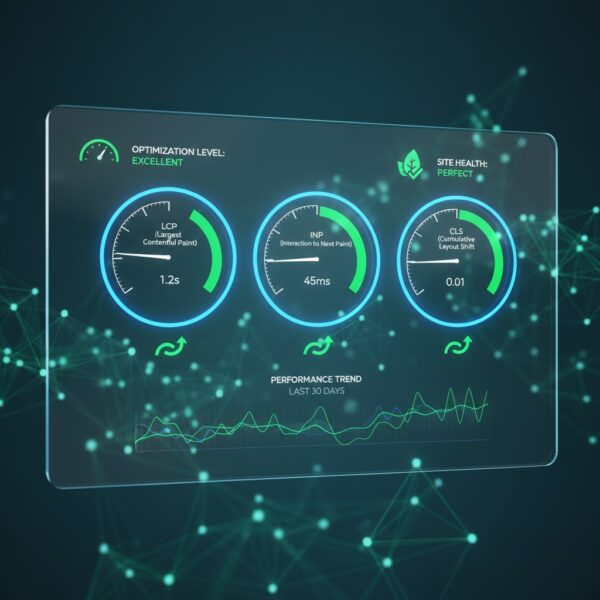
Google’s Core Web Vitals—Largest Contentful Paint (LCP), Interaction to Next Paint (INP), and Cumulative Layout Shift (CLS)—are now ranking factors. Page builders consistently struggle with all three.
LCP (Largest Contentful Paint): Page builders load so much CSS and JavaScript upfront that your main content is delayed. Google wants LCP under 2.5 seconds. Page builder sites often exceed 4-5 seconds.
CLS (Cumulative Layout Shift): Page builders inject styles dynamically, causing elements to shift as the page loads. This creates a poor user experience and hurts your rankings.
INP (Interaction to Next Paint): Heavy JavaScript from page builders blocks the main thread, making your site feel sluggish and unresponsive.
The bottom line: If you’re using a page builder, you’re fighting an uphill battle for good Core Web Vitals scores—and that’s hurting your SEO.
4. Mobile Performance Suffers
Page builders load the same bloated code on mobile devices as they do on desktop. But mobile users have slower connections and less processing power.
The result? Your mobile experience is even worse than desktop. And since Google uses mobile-first indexing, your mobile performance directly impacts your rankings.
I’ve seen page builder sites with mobile PageSpeed scores in the 20s and 30s. After migrating to custom code, those same sites score in the 90s—without changing the design.
5. Maintenance and Update Headaches
Page builders require constant updates. And every update brings the risk of breaking your site. I’ve seen clients lose entire page layouts after a page builder update conflicted with their theme or another plugin.
You’re also dependent on the page builder company staying in business and continuing to support the product. If they shut down or stop updating, your site is stuck on outdated, potentially insecure code.
With custom WordPress development, you own the code. There’s no third-party dependency, no subscription fees, and no risk of a plugin update breaking your site.
Page Builder vs. Custom WordPress Performance
Let’s look at real performance data from client migrations. These are actual before-and-after results from moving enterprise WordPress sites from page builders to custom code.
| Metric | Page Builder (Before) | Custom WordPress (After) | Improvement |
|---|---|---|---|
| Load Time | 5.8s | 1.9s | 3x faster |
| PageSpeed Score | 42 | 94 | +52 points |
| Total Page Size | 4.2 MB | 1.1 MB | 74% smaller |
| HTTP Requests | 127 | 38 | 70% fewer |
| Time to Interactive | 8.2s | 2.4s | 3.4x faster |
| Core Web Vitals | Failing | Passing | ✅ All green |
Case Study: Marketing Agency Migration from Elementor to Custom WordPress
- Before: 5.8s load time, 68% bounce rate, PageSpeed score 42
- After: 1.9s load time, 41% bounce rate, PageSpeed score 94
- Business Impact: +52% organic traffic in 6 months, +2.3% conversion rate
Why “Optimizing” a Page Builder Site Has Limits
You’ve probably tried optimizing your page builder site. Maybe you’ve installed caching plugins, optimized images, or hired a developer to “speed things up.” But you’re still not seeing the results you want.
Here’s why.
You can’t optimize away fundamental architecture problems. Page builders load their entire framework on every page. No amount of caching or image optimization can eliminate that core bloat.
Sure, you can make incremental improvements. A good caching plugin might shave off 0.5-1 second. Image optimization might save another 0.5 seconds. But you’re still carrying thousands of lines of unnecessary code.
It’s like trying to make a fully-loaded moving truck go faster by removing a few boxes. You might see small gains, but you’re never going to match the speed of a sports car.
The optimization ceiling is real. I’ve worked with clients who spent thousands of dollars on page builder optimization—hiring developers, buying premium plugins, upgrading hosting. They got marginal improvements, but never achieved the performance they needed.
After migrating to custom WordPress, those same sites achieved 3x faster load times in 8-12 weeks—without ongoing optimization work.
When Page Builders Make Sense (And When They Don’t)
Page builders aren’t inherently evil. They serve a purpose. But they’re not the right solution for every website—especially enterprise sites.
When Page Builders Make Sense
Page builders can be a good fit for:
- Small business websites with limited budgets and low traffic
- Personal blogs where performance isn’t critical
- Temporary landing pages or MVPs that will be rebuilt later
- Internal company sites with no SEO or performance requirements
- Non-technical users who need to make frequent design changes themselves
If you’re running a small business with 500 visitors per month and you need to update your site yourself, a page builder might be the most practical choice.
When Page Builders Don’t Make Sense
Page builders are not a good fit for:
- Enterprise websites where performance and SEO matter
- High-traffic sites (10,000+ visitors/month)
- E-commerce sites where every 0.1 second impacts conversion rates
- Sites with complex functionality requiring custom integrations
- Companies planning to scale over the next 2-3 years
- Organizations prioritizing accessibility (page builders often fail WCAG compliance)
If you’re a mid-to-large company with serious business goals tied to your website, a page builder is holding you back. You need a custom solution built for performance, scalability, and control.
Your Options for Moving Forward
If you’re reading this and realizing your page builder is a problem, you have three options.
Option 1: Keep Your Page Builder and Accept the Limitations
You can continue using your page builder and accept slower load times, poor Core Web Vitals, and the ongoing maintenance headaches.
This might be okay if performance and SEO aren’t critical to your business. But if your website is a key revenue driver, this is a costly compromise.
Option 2: Optimize Your Page Builder Site (Diminishing Returns)
You can invest in optimization—caching plugins, image compression, code minification, premium hosting. You’ll see some improvement, but you’ll hit a ceiling quickly.
This is a band-aid solution. You’re still carrying the fundamental bloat of the page builder framework. And you’ll need ongoing optimization work to maintain even marginal gains.
Option 3: Migrate to Custom WordPress (Best Long-Term Solution)
The best long-term solution is to migrate to a custom WordPress theme built from scratch—no page builders, no bloat, just clean, performant code.
What you get:
- 3x faster load times (typically 5-6s → 1-2s)
- Passing Core Web Vitals scores
- 100% ADA compliance (WCAG 2.1 AA)
- Complete control over your code
- No ongoing subscription fees or plugin dependencies
- Future-proof architecture that scales with your business
The ROI: Faster sites convert better, rank higher, and provide a better user experience. Most clients see ROI within 6 months through increased traffic and conversions.
What a Migration Looks Like
Migrating from a page builder to custom WordPress doesn’t mean starting from scratch. Here’s the typical process.
Phase 1: Discovery & Audit
- Content and design audit
- Technical performance baseline
- SEO preservation strategy
- Project scope and timeline
Phase 2: Design
- Refine existing design or create new design system
- Wireframes and mockups
- Client feedback and approval
Phase 3: Development
- Custom theme development (PHP, HTML, SCSS, JavaScript)
- Performance optimization
- Accessibility implementation
- Content migration
Phase 4: Testing & QA
- Cross-browser and device testing
- Performance testing
- SEO verification (redirects, meta preservation)
Phase 5: Launch
- Zero-downtime migration
- Post-launch monitoring
- 30-day support included
Timeline: Typically 12 weeks from kickoff to launch
Negative SEO Impact: Zero. I implement comprehensive 301 redirects and preserve all metadata. Most clients see SEO improvements post-migration due to better structure & performance.
Frequently Asked Questions About Page Builder Migration
Will I lose my SEO rankings if I migrate?

No. I implement a comprehensive redirect strategy that preserves all SEO equity. I also preserve all metadata, schema markup, and content structure. Most clients see SEO improvements after migration due to better performance and Core Web Vitals scores.
Can I keep my existing design?
How long will my site be down during migration?
What happens to my content?
Will I still be able to edit my site after migration?
How much does a migration cost?
Is it worth the investment?
Can’t I just hire a developer to optimize my current page builder site?
Ready to Leave Your Page Builder Behind?
Page builders promise easy design, but they deliver slow load times, poor Core Web Vitals, and technical debt that compounds over time. For enterprise teams, they’re a costly compromise.
If your website is a key revenue driver—if performance, SEO, and user experience matter to your business—it’s time to consider a better solution.
Custom WordPress development gives you complete control, 3x faster load times, and a future-proof foundation that scales with your business. No bloat, no subscriptions, no limitations.
I’ve migrated dozens of enterprise sites from page builders to custom WordPress. The results are consistent: faster sites, better rankings, higher conversions, and happier clients.
Ready to see what’s possible?
Let’s talk about your site’s performance challenges and goals. I’ll give you an honest assessment of whether migration makes sense for your business—no pressure, no obligation.

Alison Iddings
Alison Iddings is the owner of City of Oaks Marketing in Raleigh, North Carolina, specializing in custom WordPress development, contextual & technical SEO, and AI Optimization. With 30 years of experience, she helps companies create high-performance custom solutions.